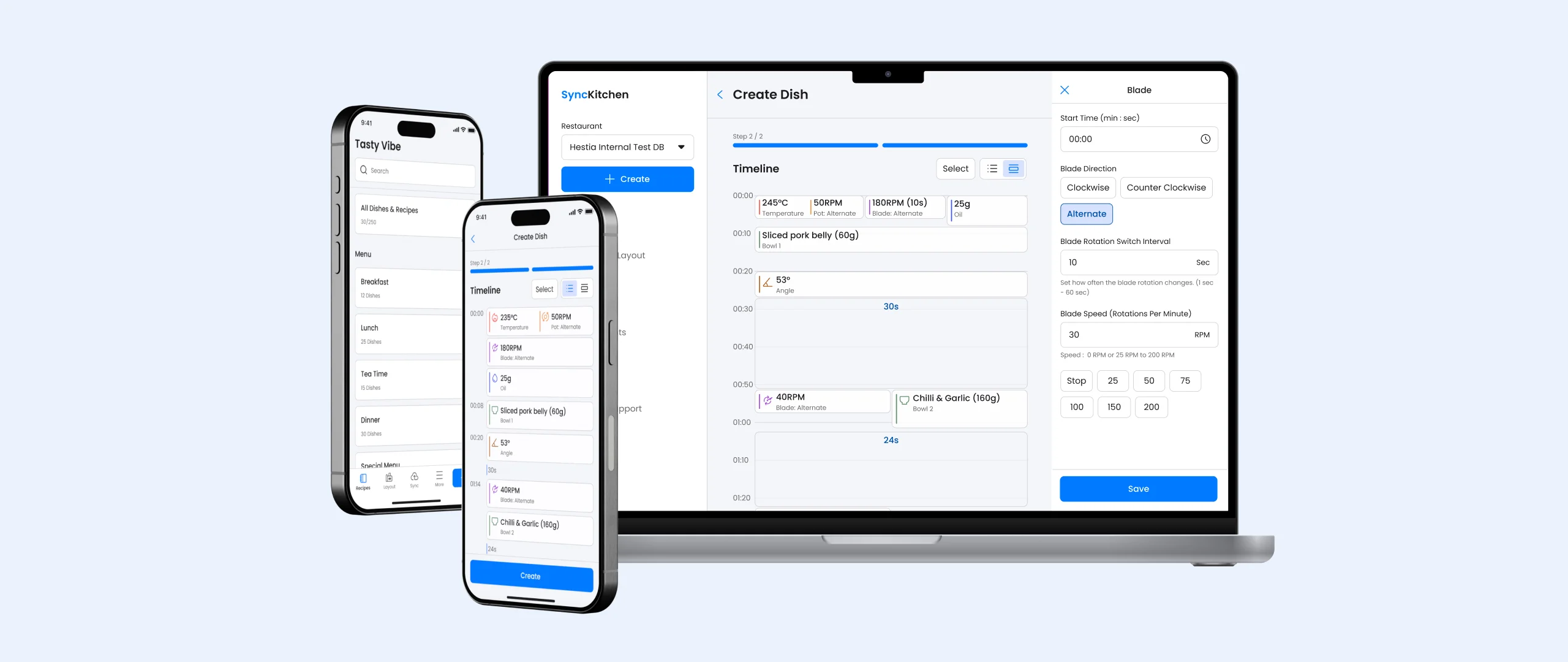
Optimize the recipe creation process between the robotics kitchen and the recipe and ingredient management platform.

Overview

Synckitchen is a SaaS cloud recipe management and deployment platform for F&B restaurant owners and chefs, designed to create, manage, and sync digital recipes and ingredients for Hestia Pro, a fully automated cooking robot.

It enables the F&B industry to manage menus across restaurant chains and creating standardize cooking SOP for every dishes.

Company:

Hestia Technology Limited

My Roles:

UX/UI Designer

My Deliveriable :
  • Revamp the Synckitch to a rensposive Web App SaaS Platform (Applicable to Mobile, Tablet and Browser)
  • Establish Design system for consistent visual and functional experience

Team:
  • 4 Developers
  • 1 UX/UI designer
  • 1 CTO

Time:

2025

Software:

Figma

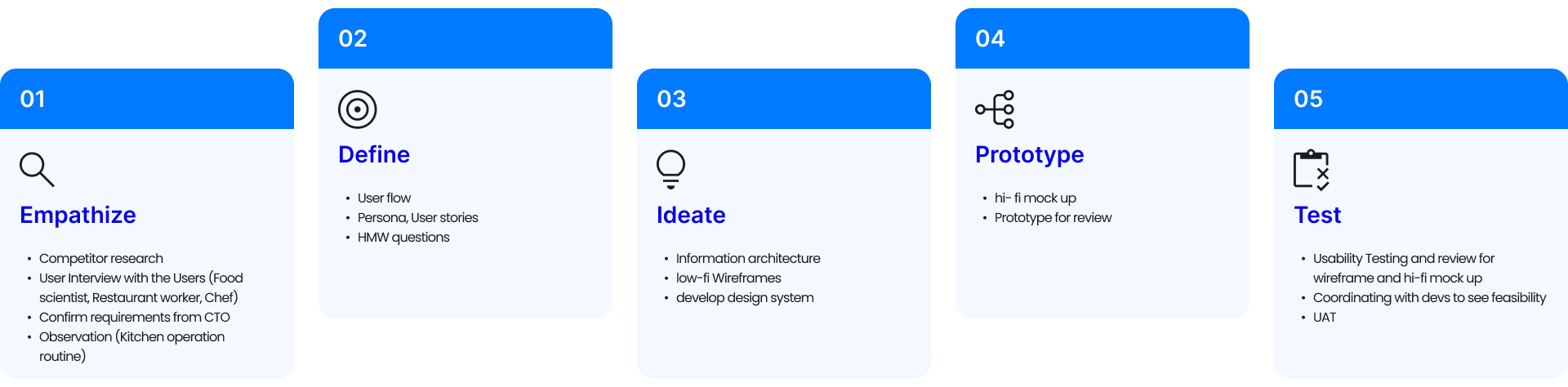
Design process (How I work)

Objective & Goals

  • Simplify the SAAS platform with an intuitive, responsive design to reduce the learning curve.
  • Streamline recipe creation and editing on the SAAS platform by reducing number of clicks.
  • Design a mobile-friendly interface that allows users to easily interact in restaurant settings, minimizing reliance on laptops or desktops.

Pain Point & limitation

  • Fragmented Digital Recipe Creation Process:  Chefs needs to manually document cooking steps after testing a dish on the cooking robot. Subsequently, these steps need to be re-entered into Synckitchen for the machine to automatically prepare the dish upon receiving a customer order.
  • Complex Recipe Creation: The web-based SAAS platform presents a complex process for recipe creation, requiring navigation through three creation tasks: ingredients, bowl, and recipe. Consequently, this high learning curve necessitates that chefs possess fundamental computer skills.
  • Platform Not Optimized for Mobile and Tablet Use: Although laptops are optimal for operating the Synckitchen system, requiring small restaurant owners to invest in computers imposes additional cost. Furthermore, laptops may not be the most practical option in a F&B kitchen environment.

HMW Statement

"How might we streamline the integration of cooking machine testing and digital documentation, ensuring cooking steps are automatically recorded and converted into a cloud-ready recipe, eliminating redundant data entry"

"How might we simplify recipe creation by establishing a seamless connection between ingredients, bowl, and recipe creation with a mobile-friendly, fewer clicks process, enabling chefs to manage robot settings and digital menu easily"
Solution

  • Develop a Comprehensive and Standardised Design System for different Viewport (SAAS Platform) and Cooking Machine. Ensure that the UI for configurable parameters is consistent across both the machines and the SaaS platforms, thereby reducing the learning curve for users.
  • Designed a straightforward, seamless workflow that merges Ingredients and Bowl creation into one easy-to-use reciepe creation interface. Chefs can create ingredients and bowl details right where they need them in recipe creation, making the process smoother and less confusing.
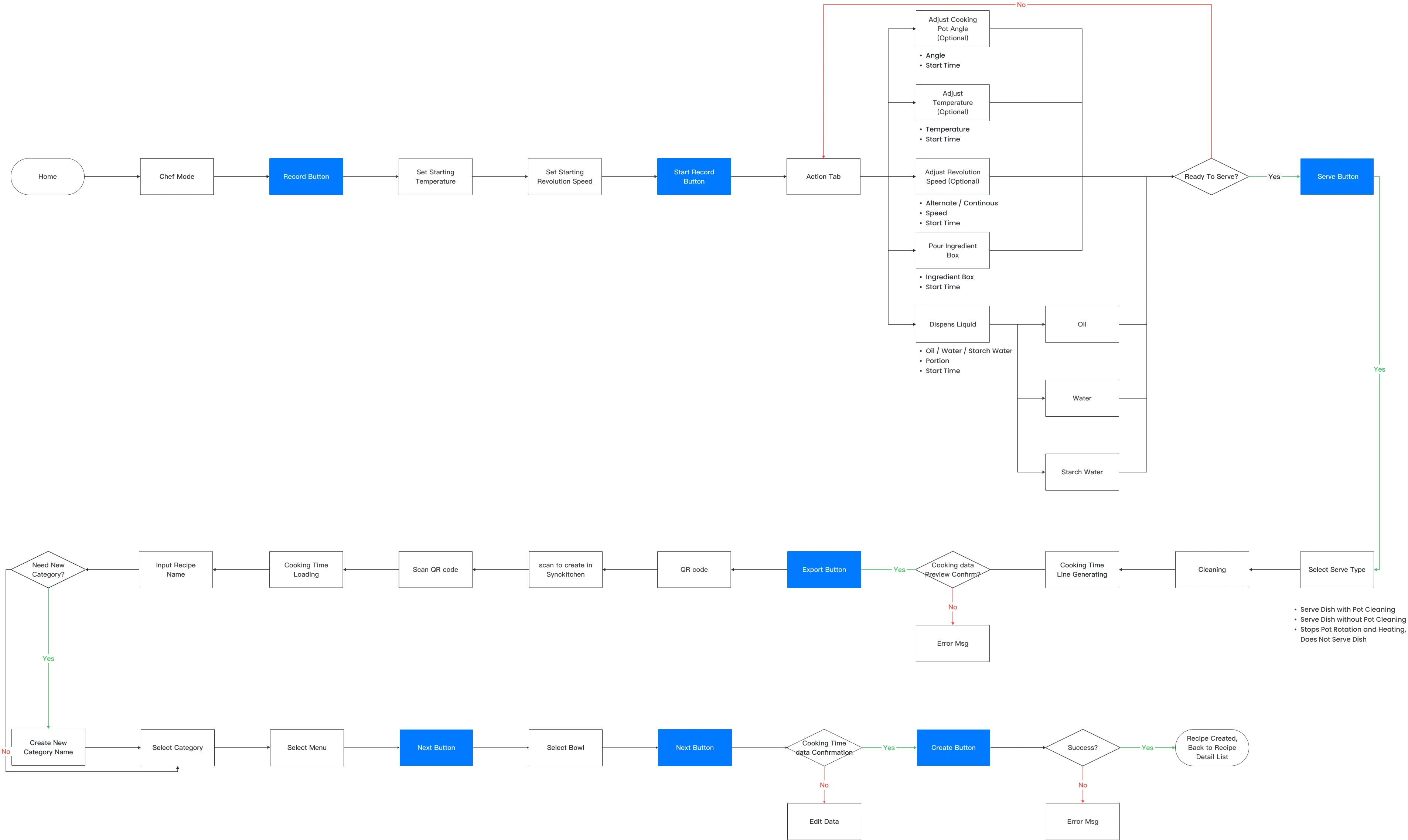
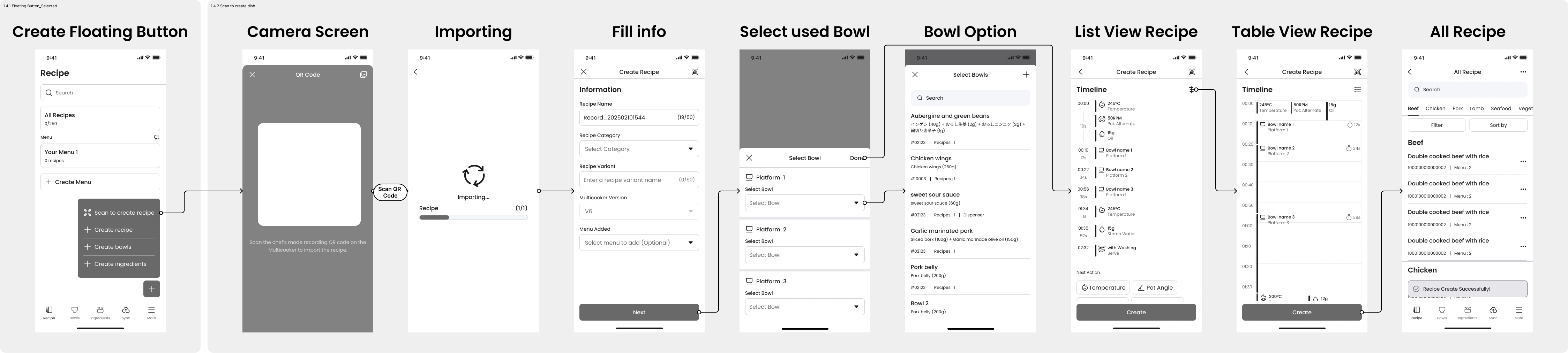
  • Implemented a QR-sync integration feature, allowing users to scan a QR code generated by the cooking robot after recording the recipe. This automatically inputs the cooking parameters into the SaaS platform, thereby eliminating redundant data entry.

User flow

Record Recipe and Scan to create flow
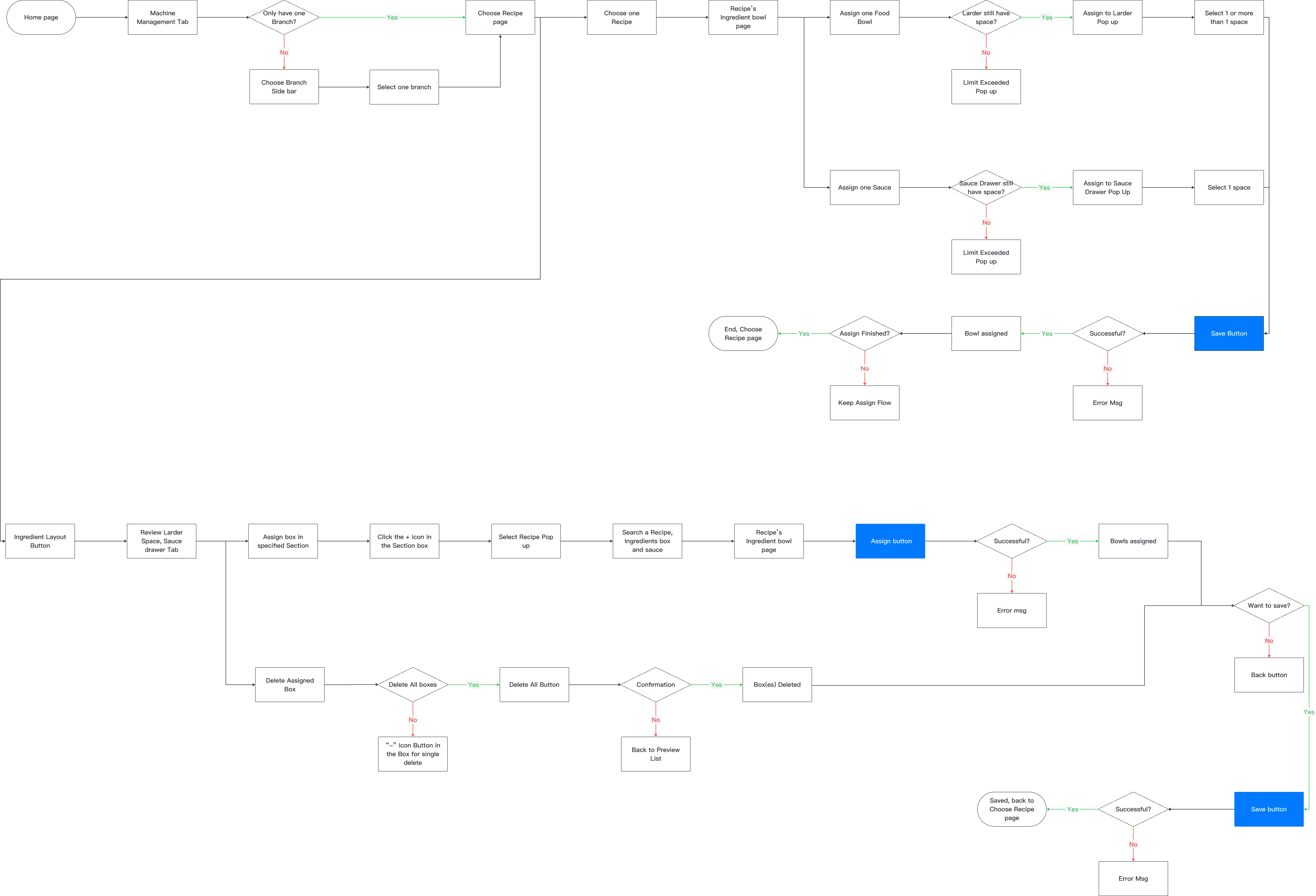
Dispenser Manual mode flow

Understanding Needs: The Research Process

Due to regional limitation and the preferences of our distributors, direct oversea customer research interview is not feasible. Therefore, I have implemented the following methods to collect feedback and understood the needs of our market.
  • Collaborative Insight & feedback Channel: Collect, synthesize, and analyze insights and user feedback from the CS team and international distributors into prioritized product requirements
  • Interview local user & CS team: i spoke with the user to identify pain points of using Synckitchen, and CS teams to uncover the "why" behind the reported feedback.

Wireframe

Scan QR Code to creat recipe flow

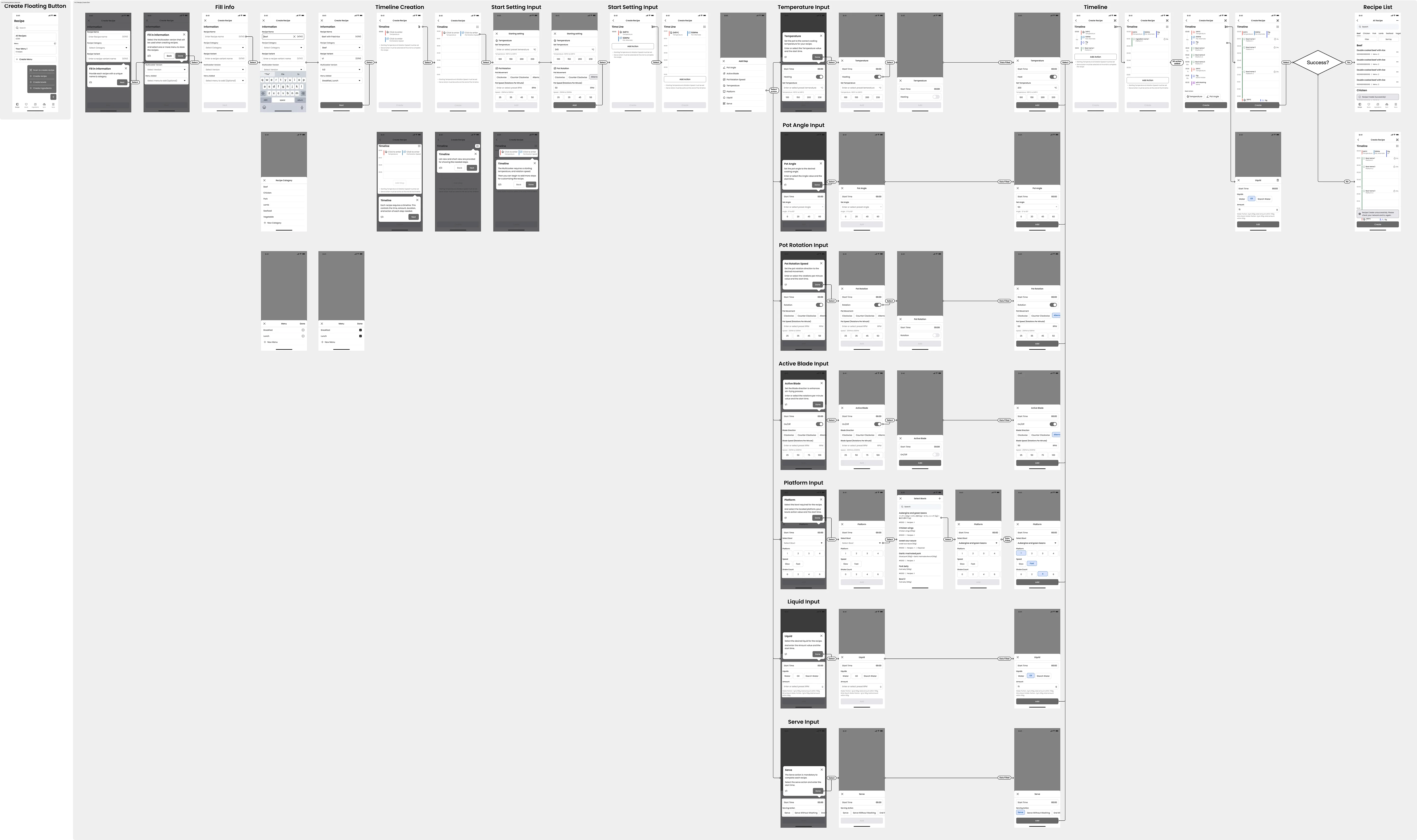
Create recipe Flow

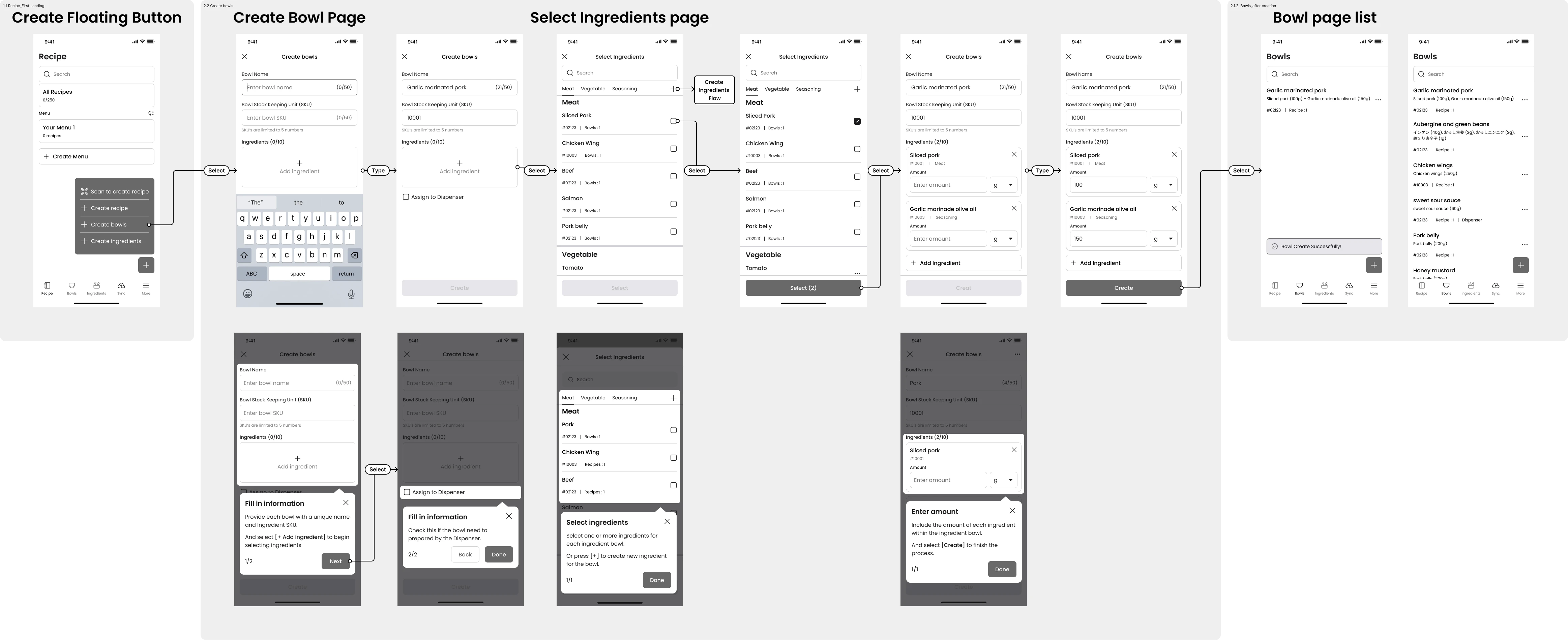
Create Bowl flow

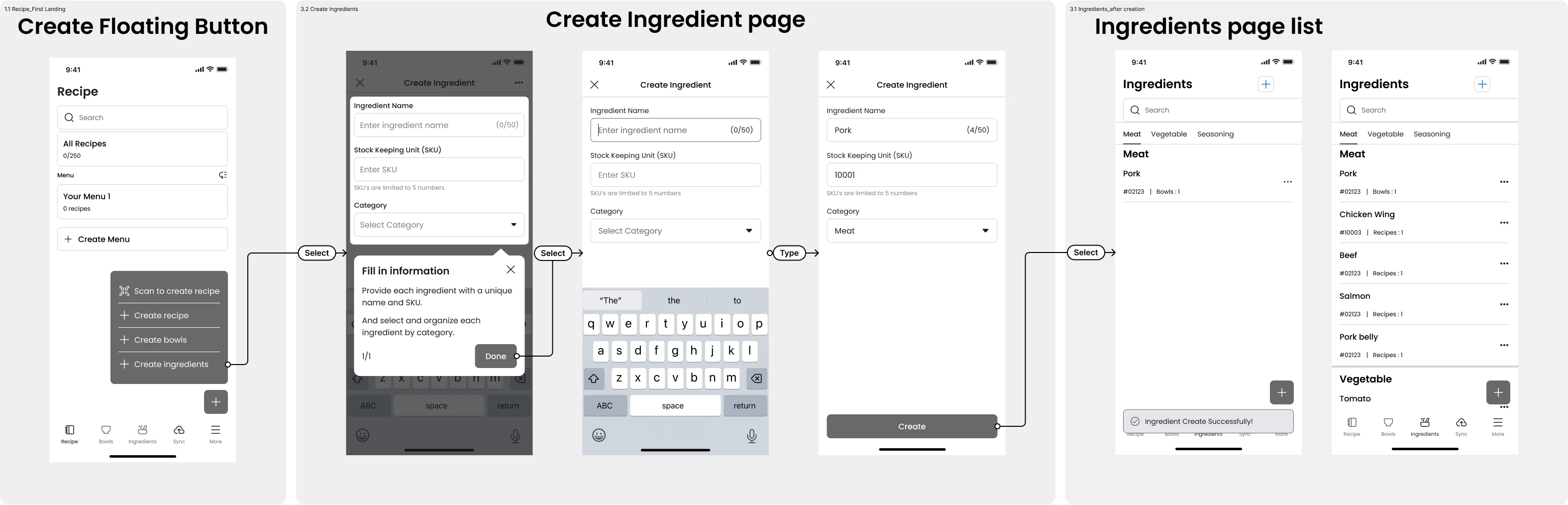
Create Ingredients flow

Testing & Validation

2

Remote & local stakeholder workshop

1

Usability testing

8+4

Interviewees & stakeholder  

Key Topic To Find Out

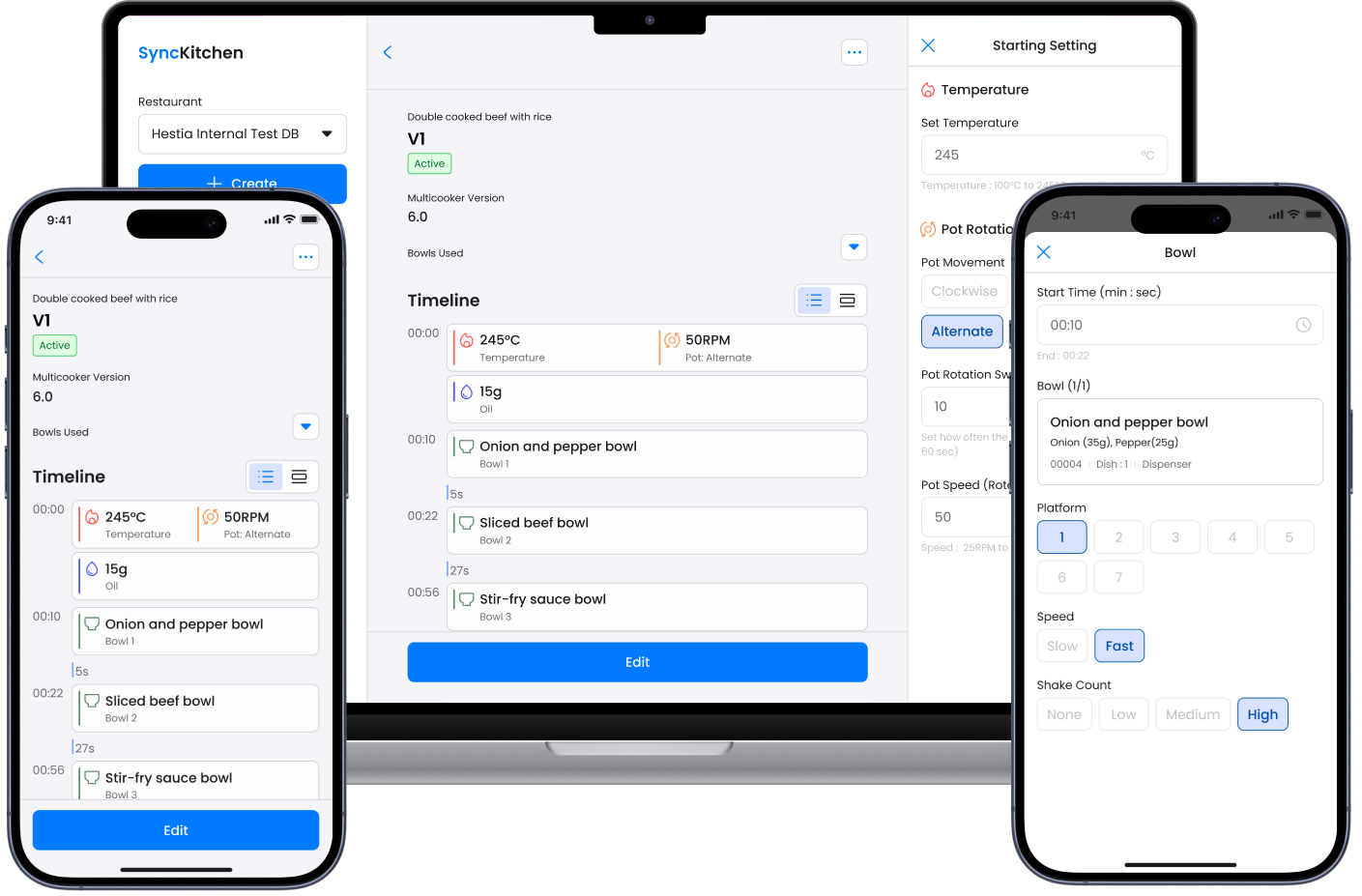
  • Is the machine-captured cooking data, (eg. temperatures and pot rotation speeds), in the cooking timeline both accessible and editable on a mobile-first web application after the QR code scan demonstration?
  • Can users successfully create "Ingredients" and "Bowls" dynamically within creating a recipe, rather than following the old fragmented sequence ( "Create Ingredients → Create Bowls → Create Recipe"  logic)?
  • On a mobile device, how intuitive is the layout management for Larder and Bowl, Dispenser and Sauce positioning?
  • Is the Mobile Web application effective in reducing the learning curve and costs compared to using laptops in F&B restaurant or kitchen settings?

Insight & Feed Back

Diverse Persona Preference

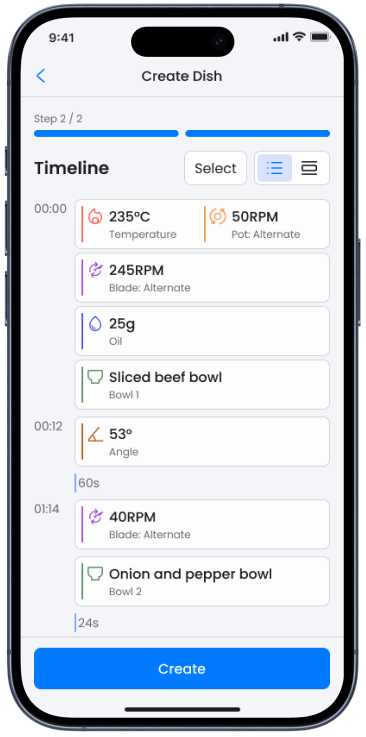
  • Operational Group (Chefs, Kitchen Operators, CS ) preferred a List View. Focus on scannability and execution. The "step-by-step" list of the cooking data, which is easy to understand and reducing the learning curve for staff
  • Analytical Group (Food Scientists) preferred a Chart View. Focus on the relationships between the time and Multi-cooking data, to ensure the taste and cooking preformance of the recipes.
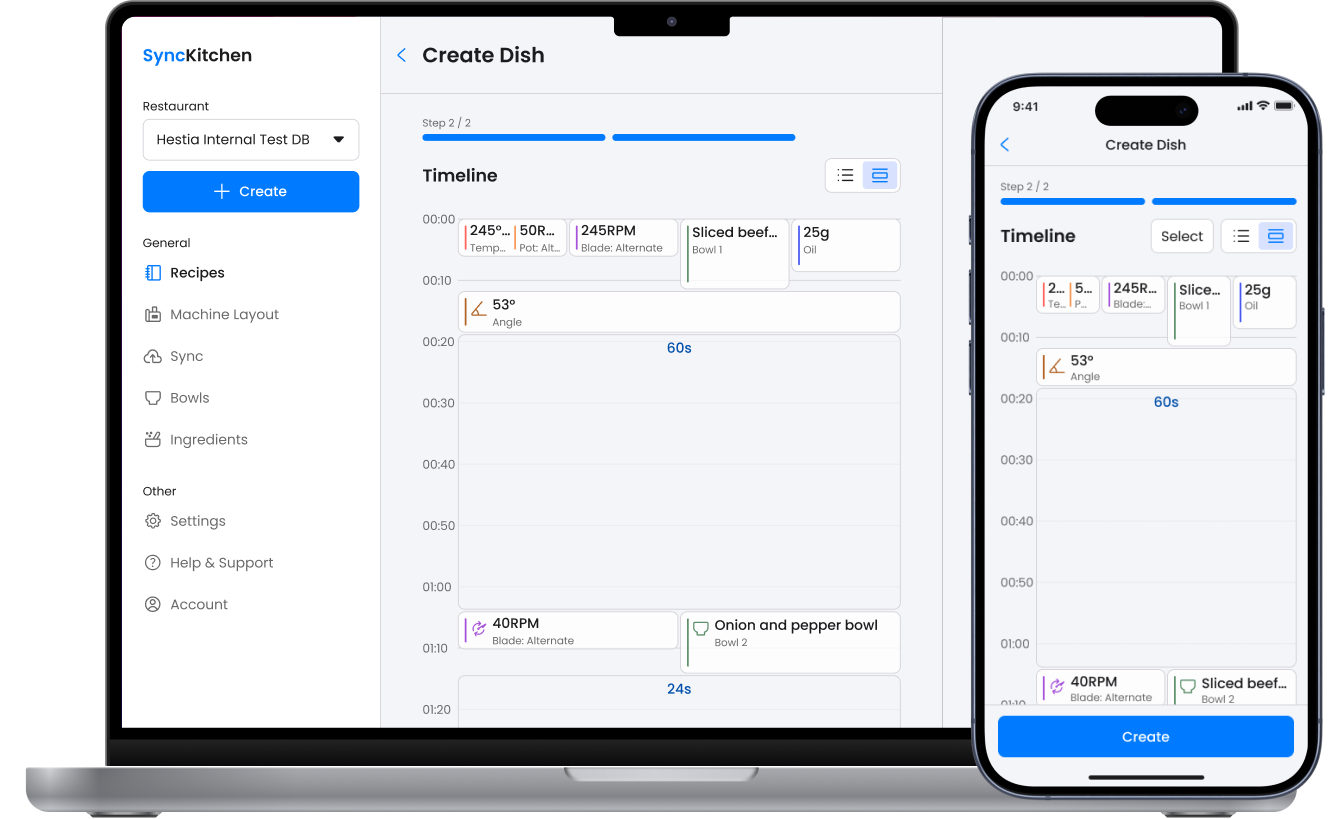
Timeline - List View
Timeline - Chart View

Testing and stakeholder workshop finding

  • 100% stakeholders agree that the implementation of QR code scanning for recipe creation will significantly enhance efficiency in developing digital recipes using the Multicooker and the SaaS platform.
  • 87.5% of interviewees identified the '+' icon for creating ingredients and bowls within the recipe creation flow without assistance. One interviewee recognized it only after receiving hints.

    - However, 37.5% of the interviewees confused by some of the wordings or distracted and mistouch by the "create menu" button through the whole recipe creation flow.
  • An interviewee who was new to Synckitchen mentioned that the instruction 'Choose a Recipe' was unclear, causing confusion when they first accessed the layout management section.

Issue solution

1.Navigation bar Improvement and centralize all creation flow buttons

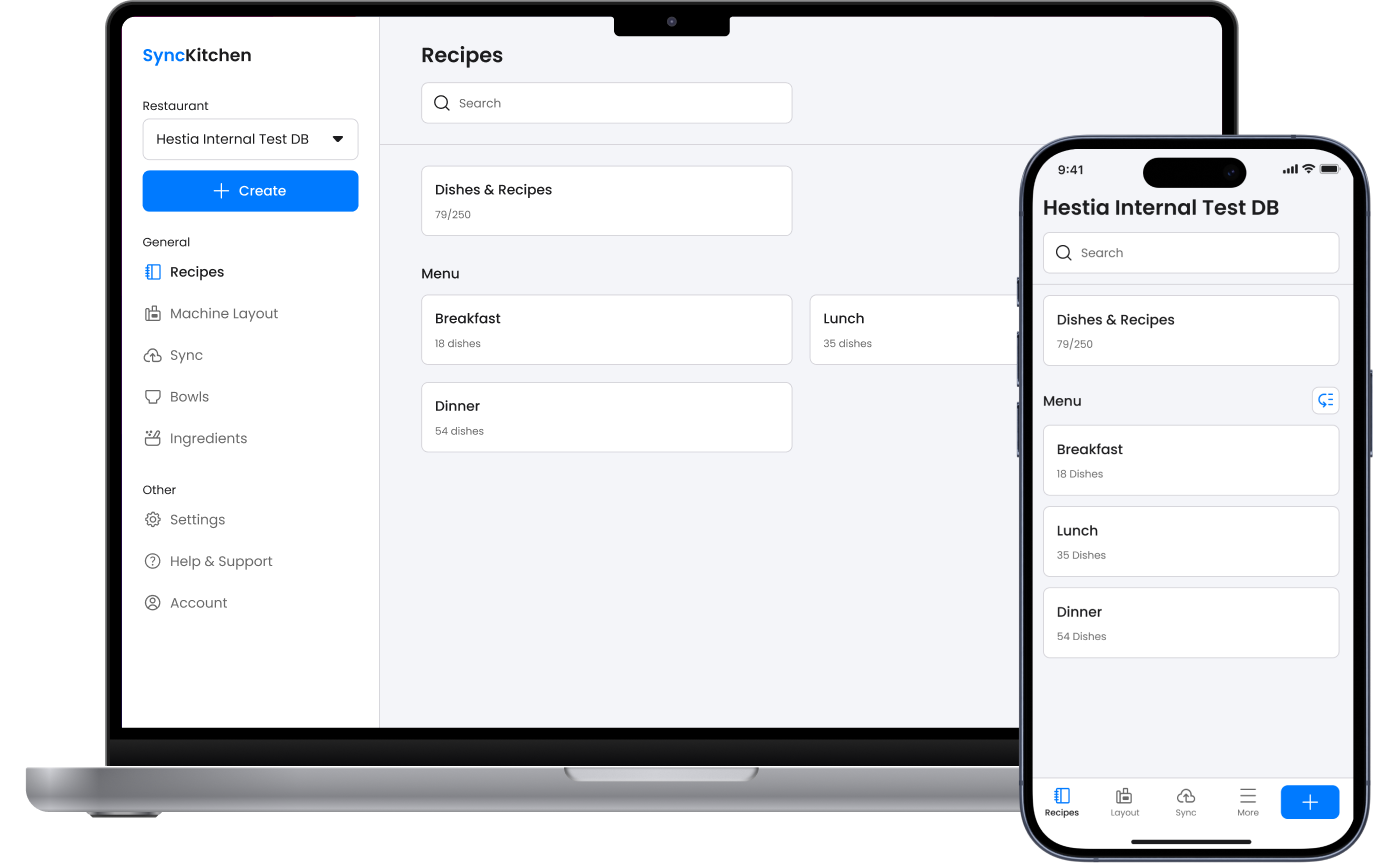
  • Based on feedback from the CS team and restaurant owner, the most frequently accessed sections during daily restaurant operations are Recipe, Sync, and Layout sections. Therefore, the navigation bar in the mobile view has been updated to facilitate easier access to these three sections.
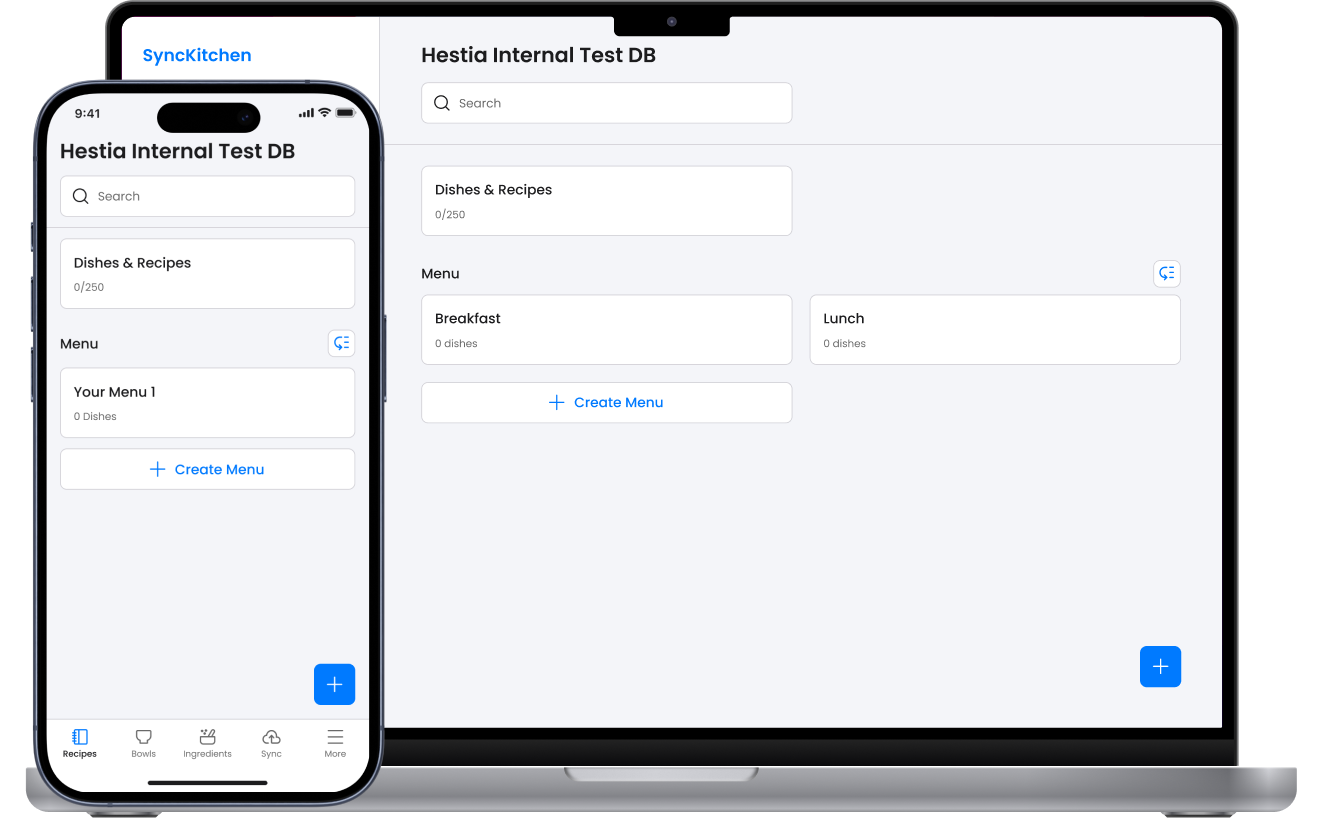
  • Individuals unfamiliar with Synckitchen often mistakenly selected the 'Create Menu' secondary button instead of the primary Floating Action Button, particularly on tablet devices. To address this issue, I have streamlined the creation entry points by incorporating the Floating Action Button directly into the global navigation bar.
  • This guarantees a uniform 'Primary + button' trigger across all device dimensions, effectively guiding users towards a singular creation process.
After
Before

2. From fragmented input to linear scan to create recipe flow

  • By exporting a QR code directly from the Multicooker, users can instantly port cooking data into Synckitchen. This transforms a previously fragmented process into a seamless linear flow, allowing chefs to focus on finalizing recipe details, like bowl selection or creation, rather than large amount of cooking data logging.
  • This solution effectively eliminated 80% of manual data entry, significantly reducing human error and operational overhead
Scan to create recipe flow

3. Intutitive "Next action" and cooking data UX enhancement in Recipe creation flow

  • Experienced Synckitchen user found the bottom-sheet modal for adding "Cooking Actions" too slow for high-frequency tasks. Replaced the bottom sheet modal with Chip component for frequent Cooking Actions, significantly reducing number of clicks.
  • Food Scientists required enhanced visibility of Cooking Time within the chart view to facilitate recipe adjustment. Consequently, Cooking Time is now prominently displayed as a secondary block, categorized by duration, thereby improving its practical application.
  • To address the diverse persona preference, I Impleatment a View Toggle Switcher to make sure both the operations and analytical team can work efficiently without compromising their specific needs.

After
Before

Final Design

Recipe Home Page
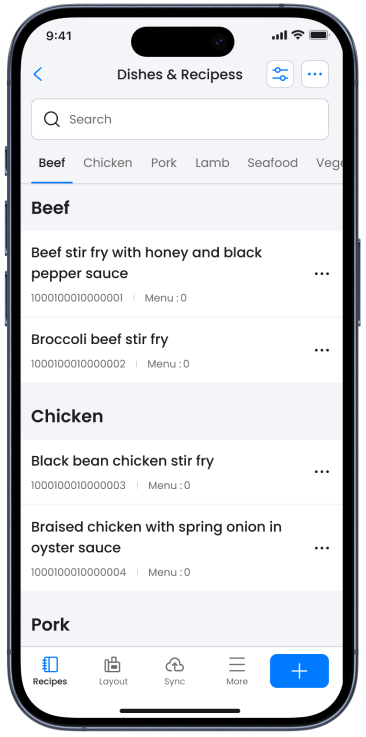
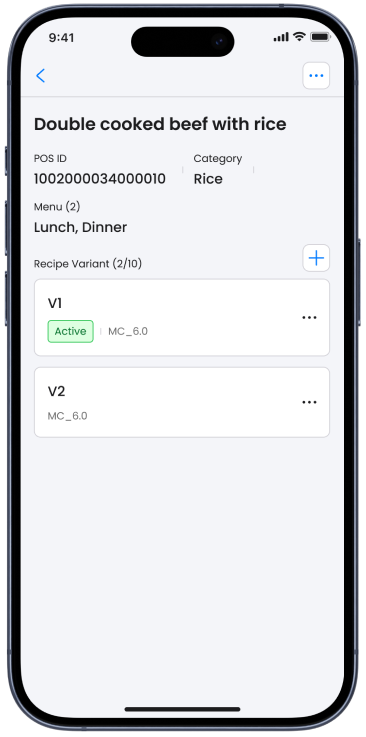
Recipe list, Dish and recipe detail page
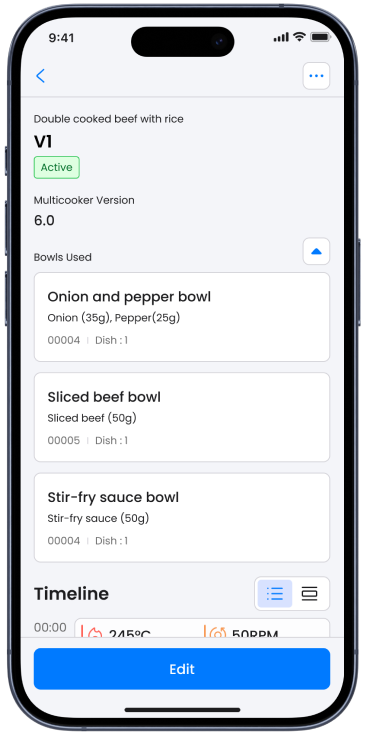
Recipe detail page (Desktop and Mobile)
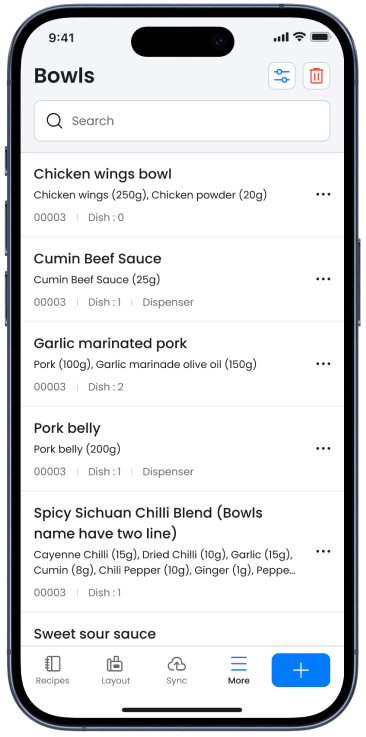
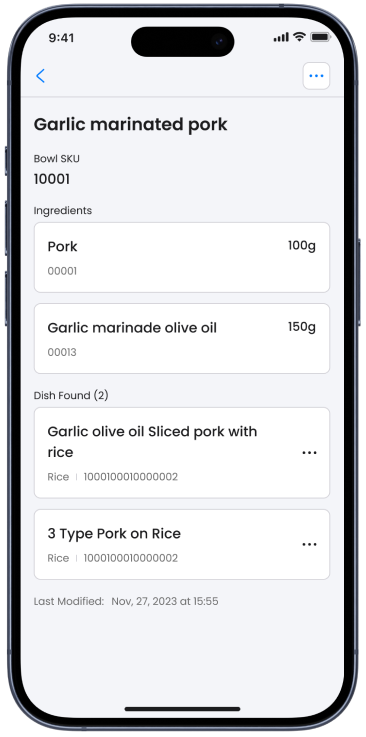
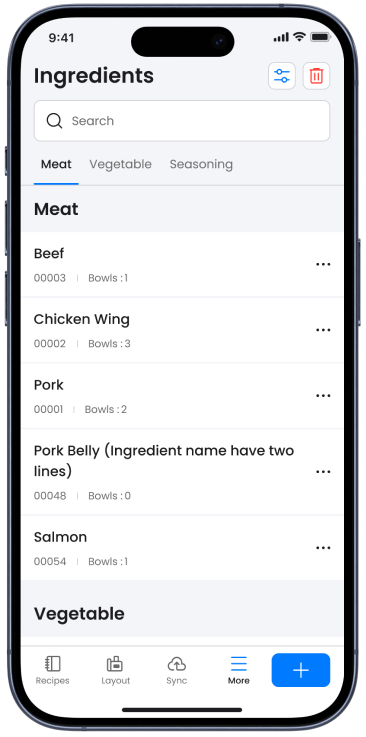
Bowl list, Bowl detail and Ingredients list
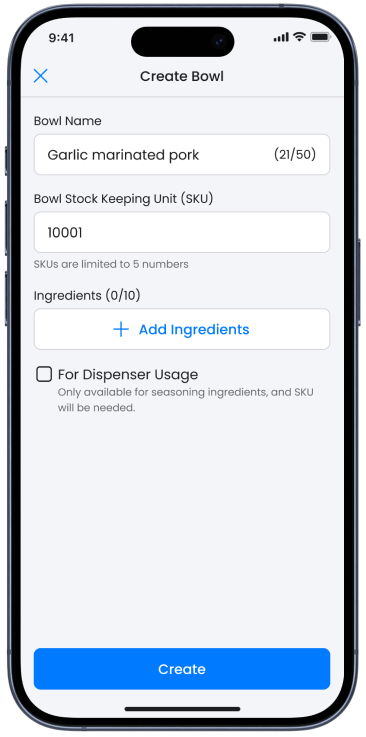
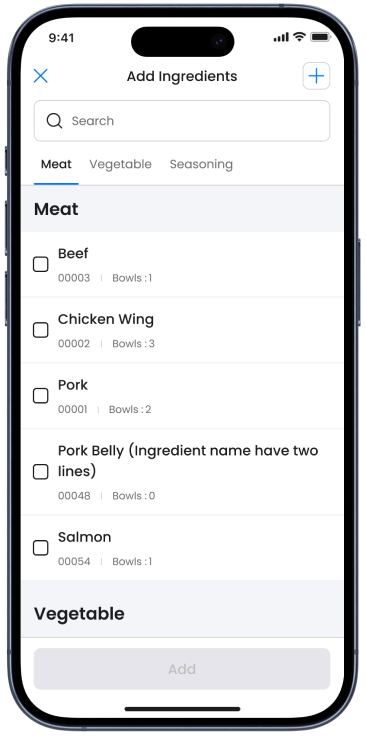
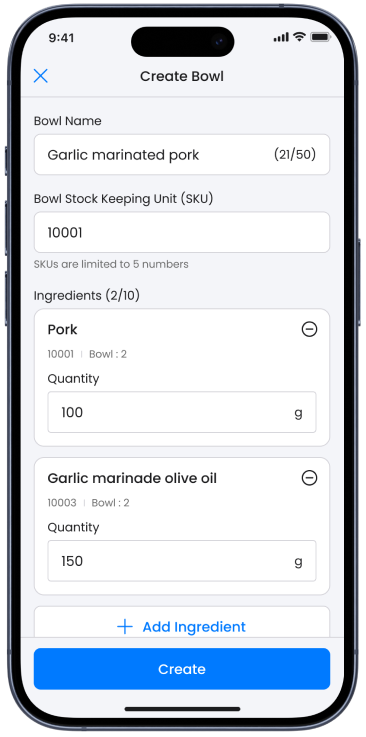
Create Bowl, Add Ingredients page
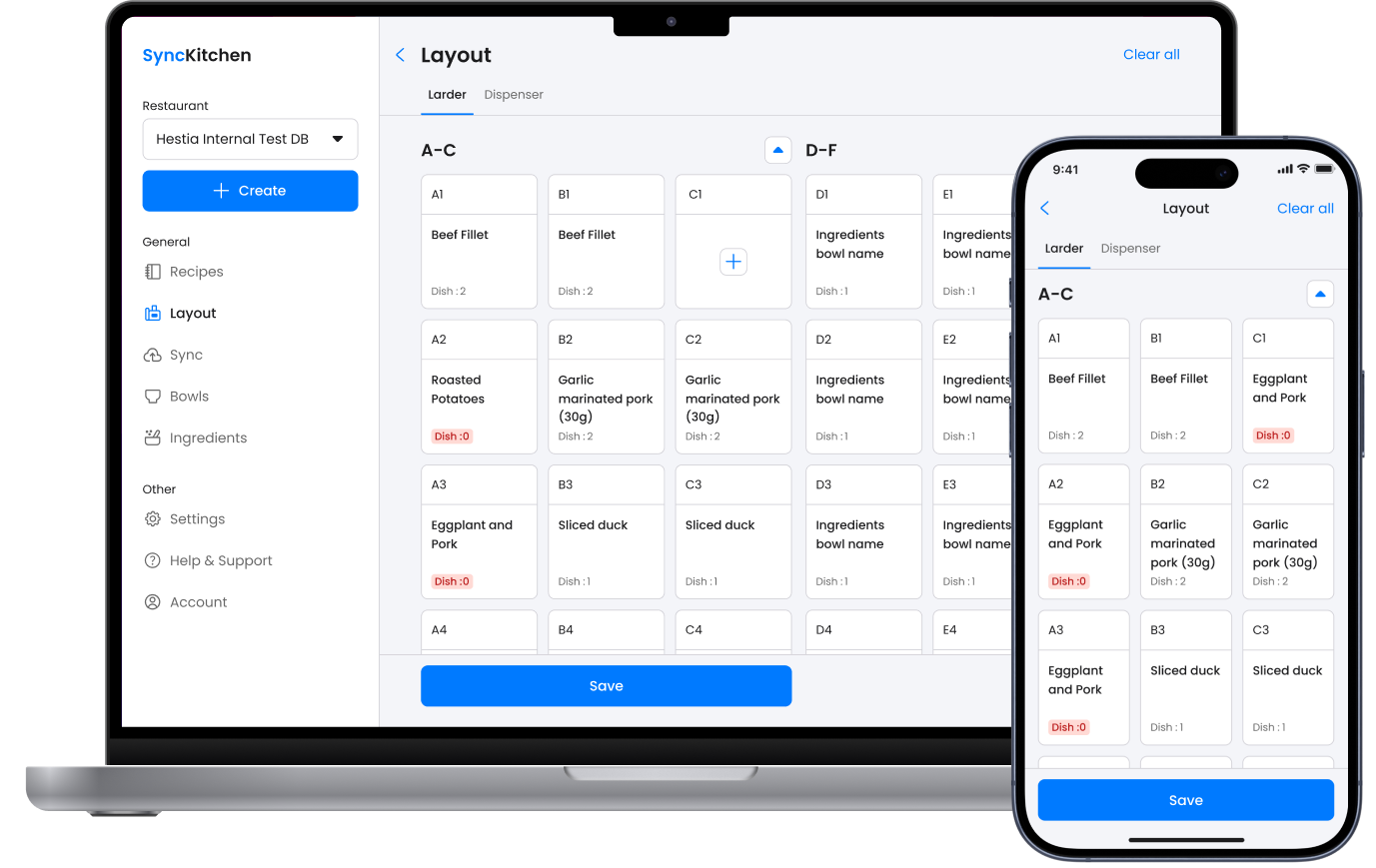
Layout Larder (Desktop and mobile)
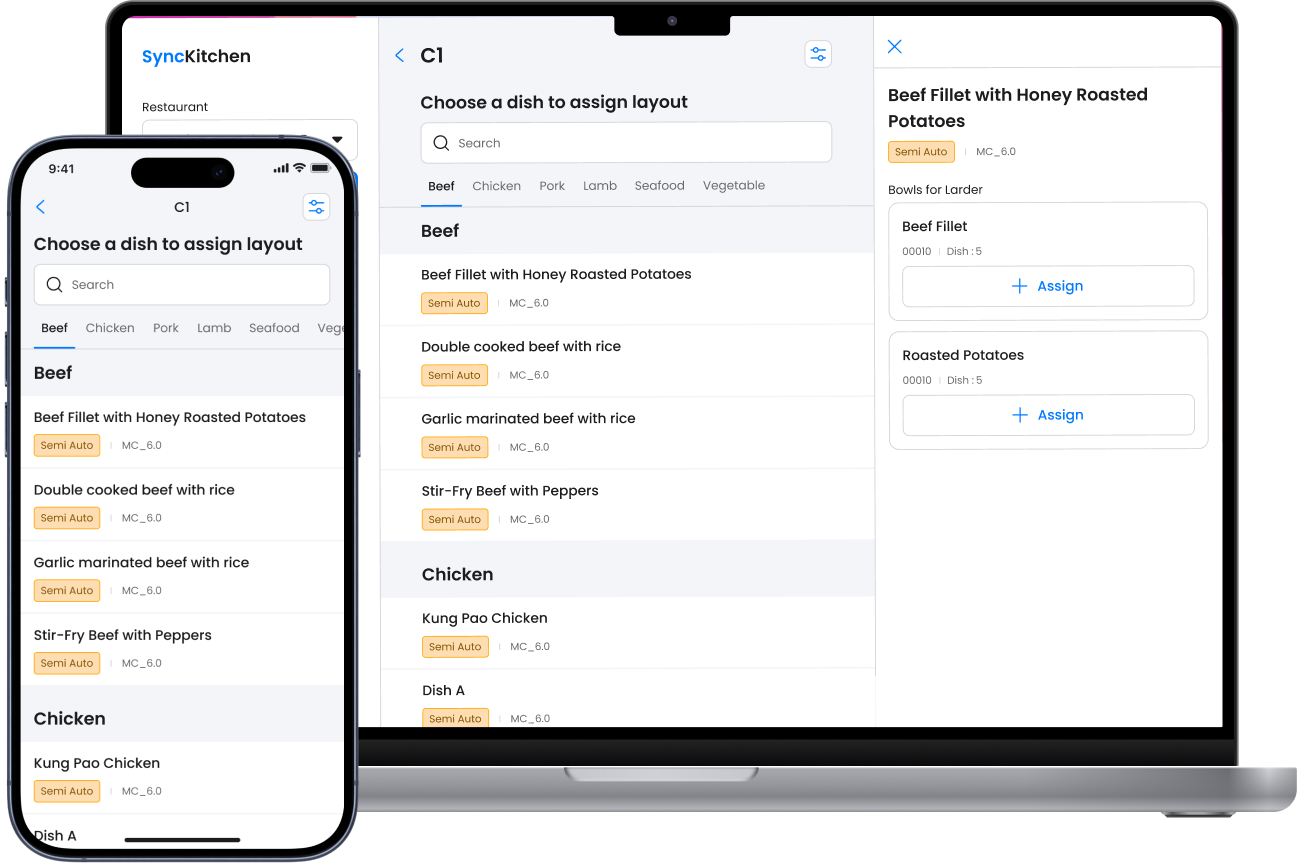
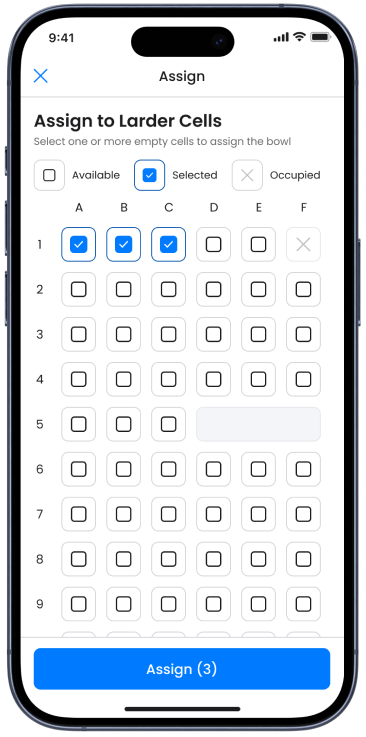
Layout Assign (Desktop and mobile)
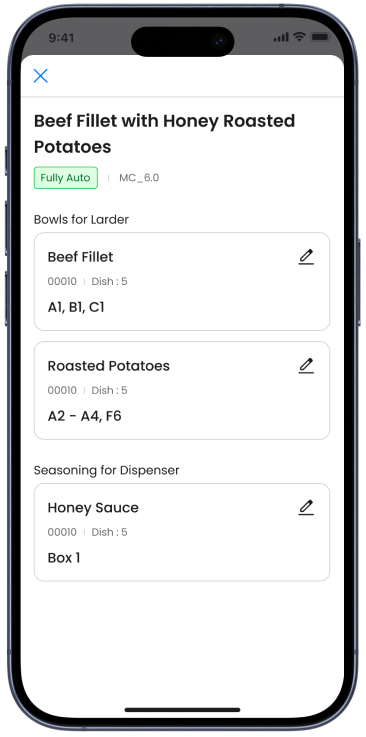
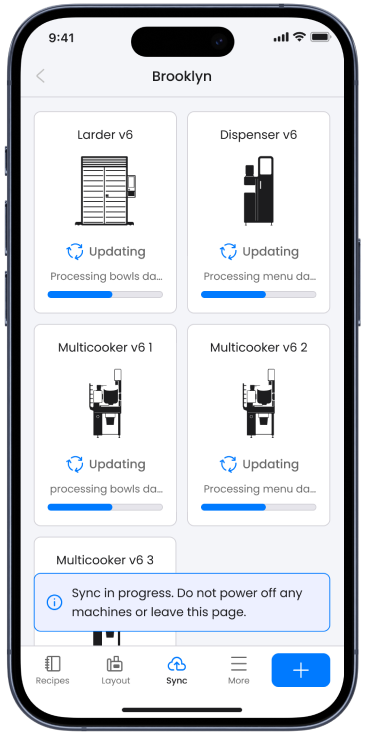
Assign page, Select cells page, Sync page

Key Metrics

68%

Avg. time saving in create recipe

80%

Manual data entry has been eliminated

87%

on average successful rate in usability testing